
1. Open the JATS tab.
Click Inspect to display the JATS tags in the document. Keeping Inspect enabled makes it easier to confirm that the figure has been recognized and tagged correctly.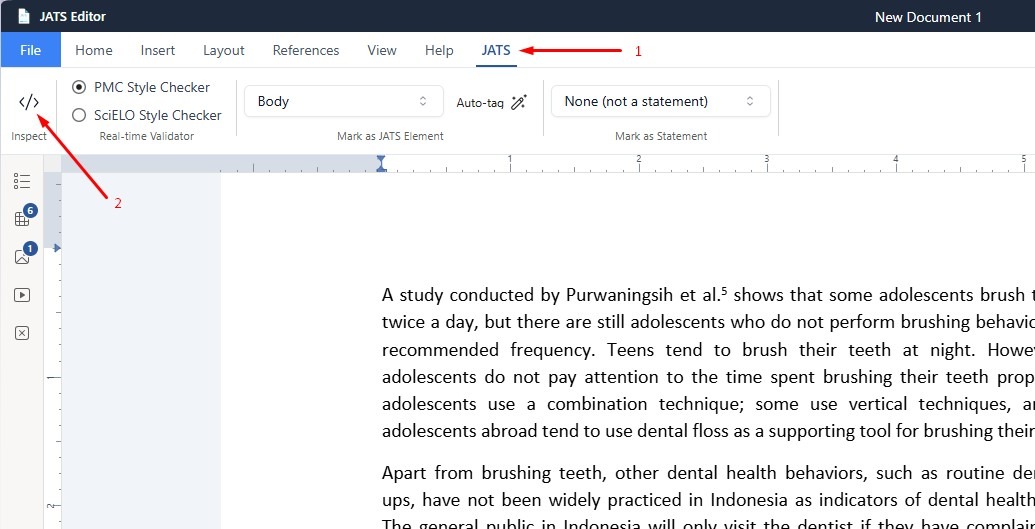
2. Open the Insert tab.
Click Image. Select and upload the figure you want to add to the article.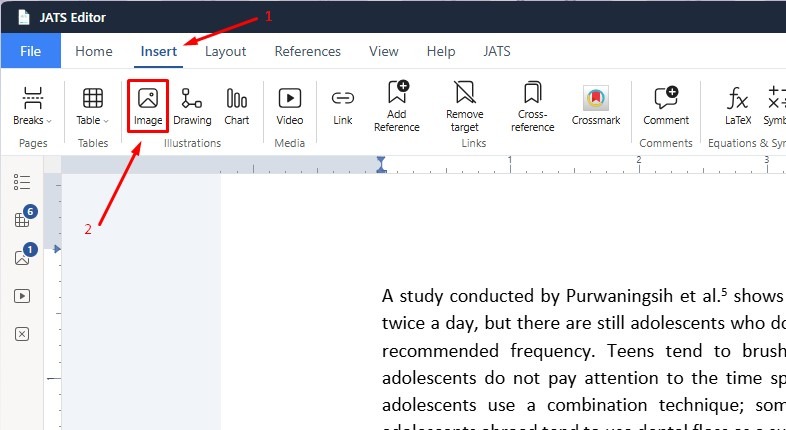
3. Once the image appears in the document, locate the Required JATS Data box beside the figure.
Click the box to open the Figure Metadata window.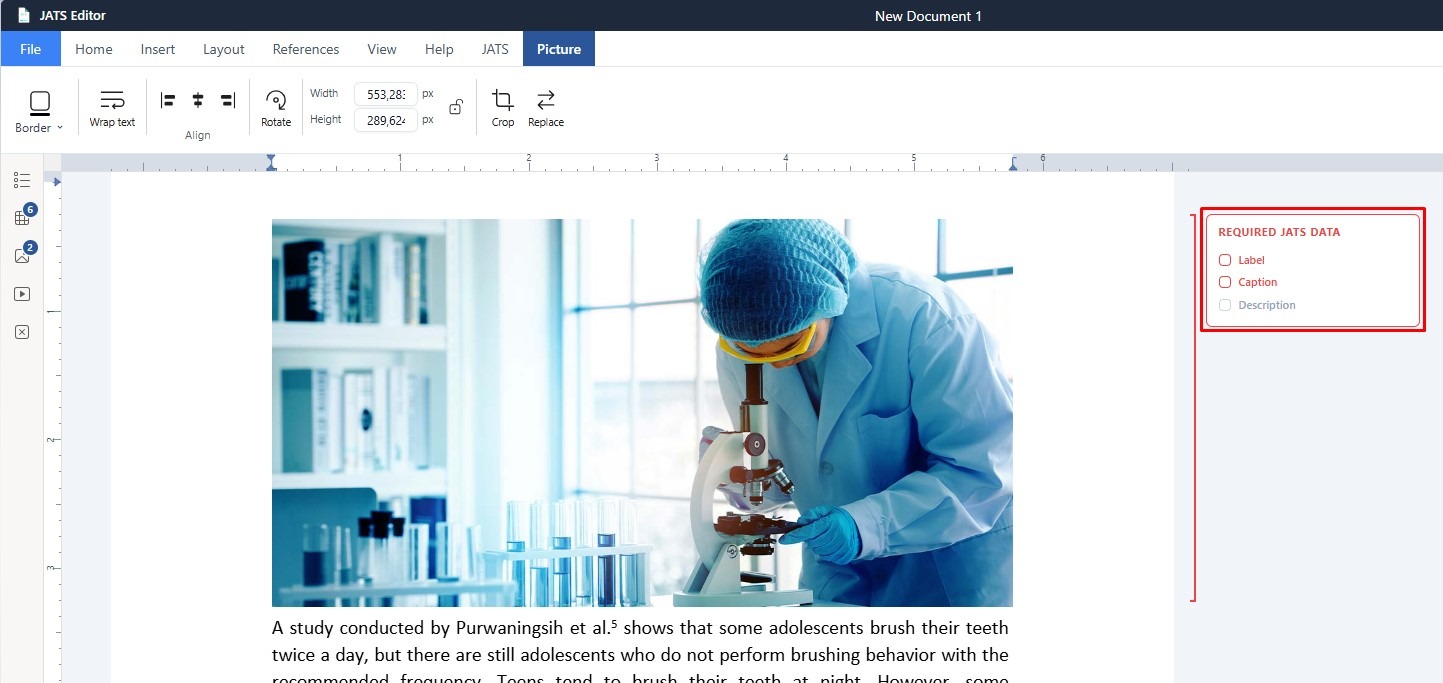
7. Fill in the required information for the figure:
- Label – Enter the figure number or identifier, for example, Figure 1.
- Caption – Enter the title or caption of the figure.
- Description – Add a short description explaining the content of the figure.
After completing the metadata, click Apply.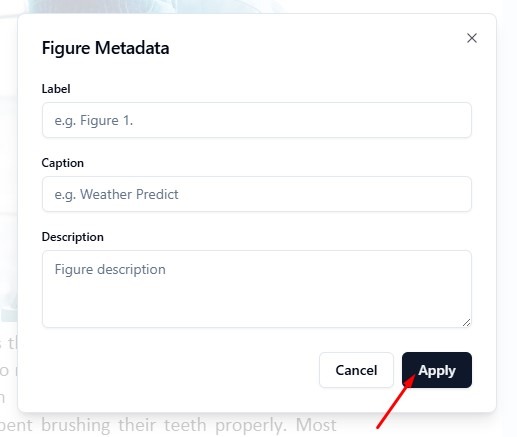
The figure metadata will then be associated with the figure for JATS output. With Inspect enabled, you can review the figure tag directly in the document and confirm that the required JATS information has been added correctly.


